
line_total receives one order line and returns its price in cents.
The first invocation receives a notebook line with quantity two. Its unit_price child returns
1200 cents, and line_total returns 2400 cents. Together, these values explain how the line
contributed to the order total.
Select a call and data category
Use the selected call’s tabs:
Select Info when you need the attempt’s status and timing. A missing output category is
not an empty return value: the UI distinguishes a missing slot from an attempt that has not
reported completion. An in-flight attempt has no reported value slots to fetch.
For example, the pricing call’s Input tab contains its customer and order lines:
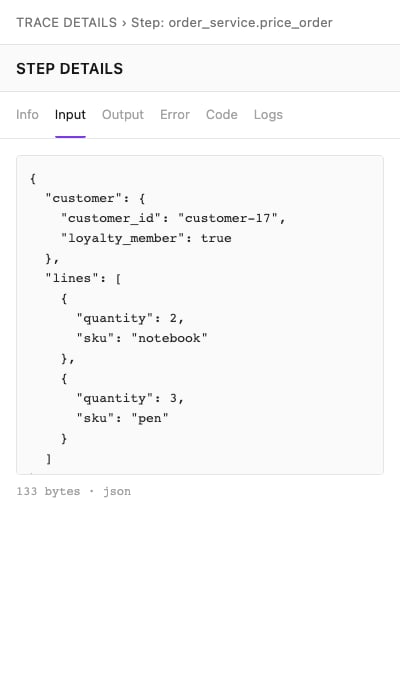
Recorded arguments for price_order.
Previews and full values
The trace response includes previews and capture metadata. Selecting Input or Output does not itself retrieve all recorded bytes. Select fetch full value to request them. The UI offers this action forstored and pending handles that have no fetched value yet.
Flat JSON objects are displayed as labeled fields. Nested objects, arrays and other values
use a text view. A preview can end before the full JSON value is complete; do not interpret a
cut-off preview as malformed application data.
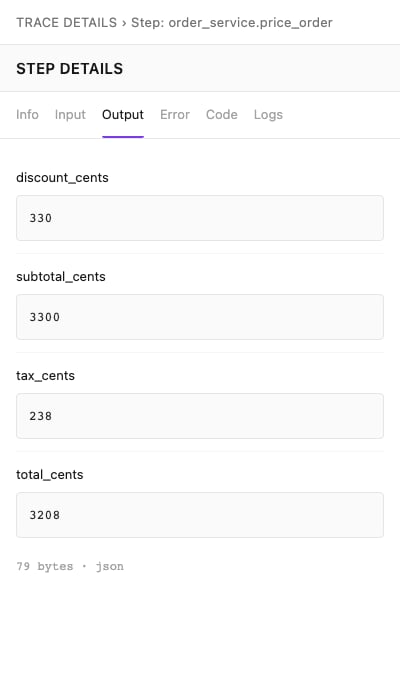
The pricing call returned a total of 3208 cents.
line_total call:
value as a string. Interpret it using encoding:
json: parse the string as JSON, such as the argument object or the number2400above.text: the value is captured text.base64: decode the value as binary bytes when using the HTTP API. The UI’s generic viewer displays text; it does not reconstruct the original Python bytes object.
state: "stored". The server resolves a
pending capture to stored when its bytes are readable. A trace-detail response carries
previews and metadata; only a full-value request confirms whether a value reported as
stored remains readable.
Errors and logs
In the checkout graph,authorize_payment fails against its modeled primary processor and
succeeds on the next attempt. Select the failed attempt and open Error to see its exception
class and error preview. The captured error value decodes to:
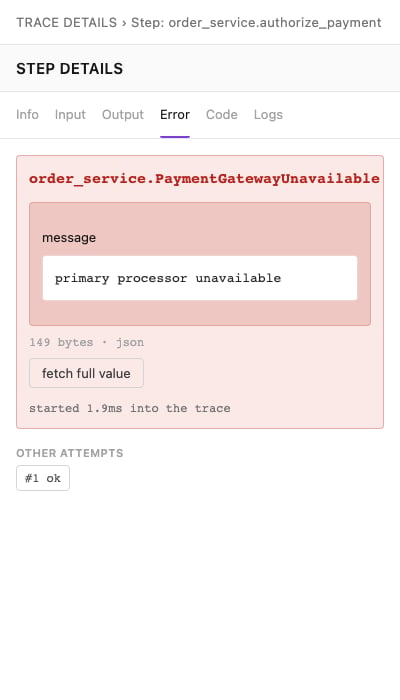
A failed attempt with a successful other attempt.
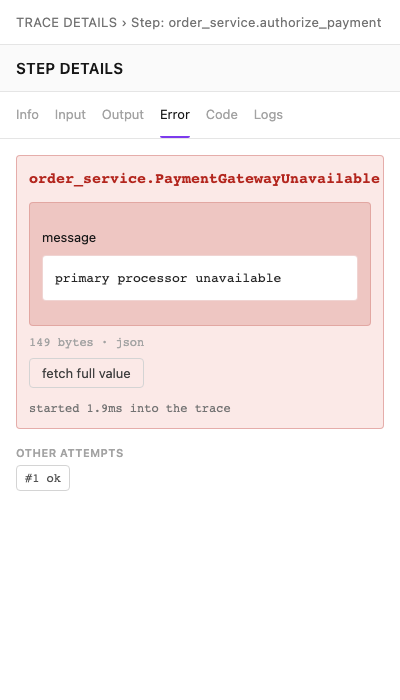
Values across attempts
Use Info or Error to select a numbered retry attempt. Status, timing and previews in the trace are attached to individual attempts. In Table, clear collapse retries to select an individual attempt directly. Full-value retrieval has a different contract./v1/traces/{id}/values selects a call by
path and a data category by slot; it has no attempt selector. Returned entries also have
no attempt number. For a retried call, repeated entries can share the same path and slot.
Switching attempts does not make a full-value fetch attempt-specific. Use the attempt-specific
previews to compare retries; the fetched bytes cannot identify a numbered attempt.
When a retained function example is available, its attempt identifies the execution.
include=values retrieves that example’s input/output for the stored attempt. This lookup
does not provide arbitrary
access to every attempt of a trace. See Understand function usage
and HTTP search and metadata.
Truncated, withheld and unavailable data
Captured values are bounded representations. A preview can be shorter than the stored value; a capture can also be truncated before storage because of capture limits. Fetching full bytes cannot restore data omitted during capture or reconstruct an object that was represented only by type information. Checktruncated, the captured representation and the relevant SDK limits.
Values can also be disabled, excluded by sampling, withheld by data controls or absent because
an attempt has no completion record. Do not infer which case occurred from an empty preview.
The HTTP handle does not report whether individual fields were withheld inside a captured
value; inspect the representation and the capture configuration.
A preview can remain after the server no longer has the full bytes. A value recorded as
stored becomes expired on a full-value read when its bytes are
unavailable. The store cannot distinguish bytes removed by retention from bytes that have not
arrived. expired does not prove that the server once held the value.
A pending capture becomes stored on a later read when its bytes are readable. If it
remains pending, the response does not establish why the bytes are unavailable or whether
they will become readable. Do not infer availability from recording completeness.
An unresolved value omits encoding, bytes_count and truncated. A readable zero-length
payload is different: it omits value and bytes_count, but keeps encoding and truncated.
Do not treat an empty text return value as unavailable data.
If a value is unavailable, preserve the distinction between missing data and a failed function.
Use Retention for storage lifetimes,
Capture controls for producer settings and
HTTP traces and values for exact states and fields.